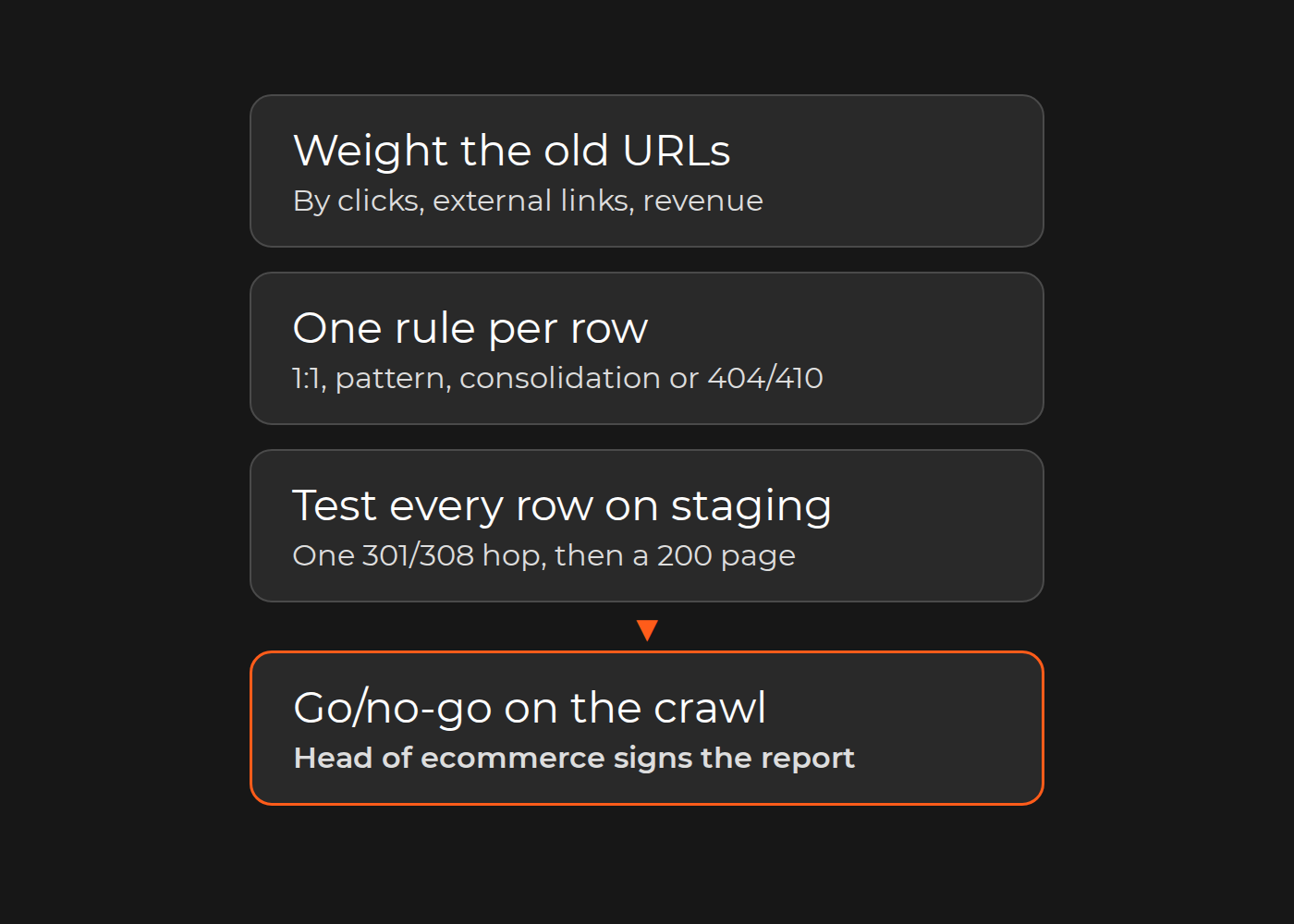
Before the DNS switch, prove on staging that every old URL that earns clicks, links or revenue answers with one permanent redirect to its closest new equivalent, and that the destination is a live, indexable, self-canonical page listed in the new sitemap. The SEO lead owns that proof, the engineering lead runs it, and the head of ecommerce makes the go/no-go call on its results.
Treat search continuity as a go-live gate, not a post-launch fix. Replatforming often changes URL patterns, templates and content in one release, the combination Google warns about: combine a move "with a redesign of the site's content and URL structure" and you "will probably see some traffic loss as Google might need to relearn and reassess the individual pages". Even a clean move can bring "ranking fluctuations while Google recrawls and reindexes your site." So aim narrower than "no change": remove avoidable errors before launch (missing, chained or irrelevant redirects, stray noindex rules, stale canonicals), then measure the new site against a pre-move baseline.
Below: the sheet, its crawler checks, go/no-go thresholds and a 28-day watch list. The example is fictional.
The redirect acceptance sheet
Keep one row per old URL that matters:
Column
What to record
Pass condition
Old URL, page type
Product, category, content, filter or media
One protocol, host, slash and case rule
Weight
Clicks over 16 months, referring domains, revenue
Ranks rows; sets thresholds
New URL, rule type
1:1, pattern, consolidation, intentional 404/410
Chosen by intent
Redirect
Status code, number of hops
One 301 or 308 hop
Destination
Status, robots rules, canonical
200; indexable; canonical to itself
Sitemap, hreflang
New sitemap; language alternates
Listed; every alternate links back
Result, owner
Pass, fail or accepted exception
No failure without an owner
Illustrative example (fictional). An outdoor-gear retailer moves 18,000 URLs from Magento 2 to Shopify Plus. The inventory finds 1,240 URLs with clicks in the last 16 months and 310 with external links. Category paths such as /men/jackets.html become /collections/mens-jackets, and product URLs gain /products/. A sample of the filled sheet:
Old URL
Weight
Rule
New URL
Staging result
Owner
/men/jackets.html
9,800 clicks; 41 linking domains
1:1
/collections/mens-jackets
Pass: one 301, then 200, self-canonical, in sitemap
SEO lead
/trail-runner-gtx.html
2,100 clicks; 6 linking domains
Pattern: one rule generates 14,000 product rows
/products/trail-runner-gtx
Pass
Engineering lead
/men/jackets.html?feature=waterproof
1,450 clicks
Manual: one of 60 filter URLs with traffic
/collections/mens-waterproof-jackets
Pass, tested explicitly
SEO lead
/tents/alpine-2p.html (line discontinued)
640 clicks; 3 linking domains
Consolidation to the closest category
/collections/tents
Pass; not the homepage
Merchandising lead
/sale/winter-2023.html
310 clicks; 9 linking domains
1:1
/collections/sale
Fail: two hops through an old Magento redirect
Engineering lead
/catalog-request.html (print catalog retired)
12 clicks
Intentional 410
None
Pass: 410
SEO lead
The first staging crawl failed 37 URLs, all chains through the old platform's redirect table. Each was remapped straight to its final destination and passed on the second run.
Write the go/no-go thresholds down before the first crawl; they are your team's decision. A workable set:
every row in the top weight band (for example, the URLs that carry most organic revenue, plus every URL with external links) passes;
no redirect chains or loops anywhere in the sheet;
no discontinued product redirects to the homepage unless the row records why;
every 404 or 410 is a row marked intentional;
every other failure has an owner and a fix date, or an exception signed by the SEO lead and the head of ecommerce.
The crawler test spec
Request every old URL in the sheet without following redirects. For each row, the crawler checks:
The old URL returns 301 or 308, or the intended 404 or 410.
The Location header equals the sheet's new URL after normalization.
Exactly one hop: the new URL does not redirect again.
The new URL returns 200.
No noindex in the robots meta tag or X-Robots-Tag header, and no block in the production robots.txt.
The canonical points to the URL itself. Google: "Each new URL should have a self-referencing rel="canonical"<link> tag."
The URL is listed in the new XML sitemap.
On multi-language stores, every hreflang alternate exists and links back: "If two pages don't both point to each other, the tags will be ignored."
No loop, and no homepage destination unless the row says so.
From URL sources to post-launch watch: one weighted inventory, one mapping rule per row, a staging crawl of every row, a go/no-go gate (top band passes, other failures fixed or owned), then checks on day 1, 7 and 28.
Build the URL inventory from logs, Search Console, analytics and backlinks
Google's site-move guide says to "Start with your important URLs" and names where to look: sitemaps, server logs or analytics "for the URLs that get the most traffic", the links feature in Search Console "for pages that have internal and external links", your CMS, and server logs "for URLs that were visited at least once recently". Merge these sources:
Search Console Performance report, page dimension, "Last 16 months", the window Google's traffic-drop guide uses (to keep more than 16 months, Google suggests pulling the data with the Search Analytics API or bulk data exports and storing it in your own systems).
Server logs, including files analytics misses. Google asks you to include "videos, images, JavaScript, and CSS files" in the move plan.
Analytics landing pages with organic sessions and revenue.
Backlinks. Search Console's Links report "isn't a comprehensive list" and shows "a sample", so add a backlink tool's export if you use one.
XML sitemaps and a CMS export, including disabled products that still get visits.
Campaign and feed URLs from paid landing pages and shopping feeds.
Normalize before you count: one protocol and host, consistent trailing slashes and letter case, and parameters split into those that change content (filters with traffic) and those that do not (tracking, sorting). Then score the weight. In the example, thresholds apply to the 1,240 URLs with clicks and the 310 with external links; every other URL still gets its redirect.
Map by intent: one-to-one, patterns, consolidations and retired pages
Every row gets exactly one rule type:
1:1 for pages with a clear successor: categories, content pages, top products.
Pattern where both platforms derive URLs from the same key, such as product handles. Generate the rows from the rule, then test every row.
Consolidation where several old pages become one. Google allows it: "if you have consolidated content previously hosted on multiple pages to a new single page, you can redirect the older URLs to that new, consolidated page."
Intentional 404 or 410 where nothing equivalent exists. Removed content should "return an HTTP 404 or 410 error response code on the new site", and Google warns against the shortcut: "Don't redirect many old URLs to one irrelevant single URL destination, such as the home page of the new site. This can confuse users and might be treated as a soft 404 error."
Flatten chains while you map: old redirects plus new rules produce A → B → C. Googlebot follows chains of as many as 10 hops, yet Google advises "redirecting to the final destination directly". The sheet accepts one hop.
Use server-side permanent redirects. Google lists HTTP 301 and 308 as permanent, which means "Show the new redirect target in search results"; 302, 303 and 307 are temporary. Client-side redirects are a last resort.
Platform constraints that shape the map: Shopify, Adobe Commerce, Shopware, BigCommerce
The target platform decides how much of the map you can write as rules. As of November 2026, each vendor's documentation says:
Shopify lists /products, /collections and /collections/all as "fixed Shopify paths" and uses addresses such as /products/blue-t-shirt in its examples, so Magento-style paths need redirects. Redirects import from CSV, with "a maximum of 100,000 URL redirects unless your store is on the Plus plan, which has a maximum of 20,000,000 URL redirects". A redirect fires only from a broken URL: "If the URL still loads a valid webpage, then the URL redirect won't work." Query-string URLs "might not work as expected" and collection tag-filter URLs cannot be redirected, so filter URLs with traffic need explicit rows and tests. Our Shopify migration services cover the wider move.
Adobe Commerce (on-premises and Adobe-managed PaaS): a URL rewrite "automatically creates a permanent redirect (301)", but "all GET parameters specified in the URL are removed for security reasons", so parameter-based old URLs need their own mapping. For Magento 1 to 2, the Data Migration Tool specification names "Map, URL Rewrite, and EAV" as its most valuable steps; test the result anyway.
Shopware 6: SEO URL templates set the product and category URL structure, globally or per sales channel. After a template change the SEO index must be rebuilt, and a forwarding setting can output a 301 when URLs change. From Shopware 5, the migration assistant can carry SEO URLs.
BigCommerce: its API manages "301 redirects for one or more storefronts powered by a single BigCommerce backend". "When a storefront URL changes, BigCommerce creates 301 redirects only for storefront channels", so marketplace and marketing channels get none, and a 301 Redirects FAQ lists the redirects it does not allow.
Run the acceptance test on staging: one hop, 200, canonical, sitemap, hreflang
Load the production redirect rules onto staging and run checks 1 to 9 above against every old URL in the sheet. Google suggests the URL Inspection tool for single URLs, "or command line tools or scripts to test large numbers of URLs". Staging often sits behind a password or a sitewide noindex: record those as staging-only results, keep the list of URLs whose noindex rules must come off (Google recommends preparing it), and repeat checks 1 to 9 on the production host right after the switch. Rerun the full crawl after every fix.
Cutover day and the first 28 days: what to watch and when to act
On cutover day, remove migration-only noindex rules and robots.txt blocks, switch the redirects on, rerun the crawl on production and submit the new sitemap in Search Console. Google also suggests submitting the old sitemap: warnings about its redirecting URLs are "normal", and its indexed count should fall as the new one's rises. Point internal links, feeds and ad campaigns at the new URLs.
The day 1, 7 and 28 checkpoints are a team convention, not Google deadlines; Google says a small to medium-sized site "can take a few weeks for most pages to move, and larger sites take longer."
When
Check
Act if
Day 1
404 log; Page indexing report; URL Inspection on the top 20 URLs
A weighted URL returns 404 or a chain: fix the same day
Day 7
Sitemaps report; clicks and impressions of top URLs against the baseline
Indexing stalls for one template: check its canonical and robots rules
Day 28
The same comparison, plus the 404 log
A weighted URL keeps losing clicks: inspect its mapping and destination
Keep the redirects: Google says "generally at least 1 year" and, for users, "consider keeping redirects indefinitely". Release windows and rollback belong in your release and rollback checklist.
Who signs off: SEO, engineering and the business owner
SEO or marketing lead: owns the inventory, the map and the thresholds.
Engineering lead: implements the redirect rules, runs the crawl and owns technical failures; can hold the cutover while the crawl is not clean.
Merchandising or content owner: picks destinations for discontinued products and merged content.
Head of ecommerce: signs the go/no-go on the crawl report and approves any exception on a revenue URL.
The sign-off artifact is the final crawl report, measured against the thresholds above.
What our migration projects show
Our case pages describe migration scope, not search outcomes. The Richter Gabelstapler Magento migration moved a B2B forklift exporter from Magento 1.7 to Magento 2.0 in four months, using the official Magento Migration Tool for products, customers, orders and the SEO setup. The myfelt case is a multilingual Magento to Shopify migration. Goddess, a Magento 1 to 2 migration, listed "Implementing the delta-migration" among its tasks and required "full-regression testing along with raw testing of each involved module". None of these pages states a search-traffic result.
This test removes avoidable errors and gives you evidence and a baseline against which to judge the move.
Exceptions
Redesign with unchanged URLs: little mapping, but canonicals, robots rules and sitemaps still need checking on every template.
Domain change: add Search Console's Change of Address tool, which Google says you need only "when moving from one domain or subdomain to another", not for HTTPS, www or same-domain path changes.
Headless storefront: routing lives in the frontend or at the edge, so redirects are built and tested there.
Multi-country store: reciprocal hreflang on every alternate; check how your platform applies redirects to market subfolders.
App-based redirects: confirm the app's limits and that it redirects before the page loads.
Export every URL in your weighted inventory (clicks, external links or revenue), run the sheet's checks against staging, and you should get a pass/fail list in which every failure has an owner. After go-live, the Sitemaps and Page indexing reports should show new URLs being indexed as old ones drop out, and the 404 log should contain no weighted URL.
FAQ
Do 301 redirects lose link value?
Google says: "301 and other permanent redirects don't cause a loss in PageRank." Rankings can still fluctuate while pages are recrawled.
Can discontinued products redirect to the homepage?
Not in bulk. Send each to its closest replacement or category, or return 404 or 410 when nothing equivalent exists.
How long should redirects stay in place?
Google says "generally at least 1 year"; for visitors, consider keeping them indefinitely.
Do I need Change of Address in Search Console?
Only for a move to another domain or subdomain. A platform change on the same domain needs redirects and updated sitemaps.
Your next step
Fill the sheet for your top weight band first, then the remaining weighted rows, and run checks 1 to 9 before you sign the cutover plan. If you want a second review, our ecommerce replatforming consultancy team can check the inventory, the mapping rules and the staging crawl against your source and target platforms.