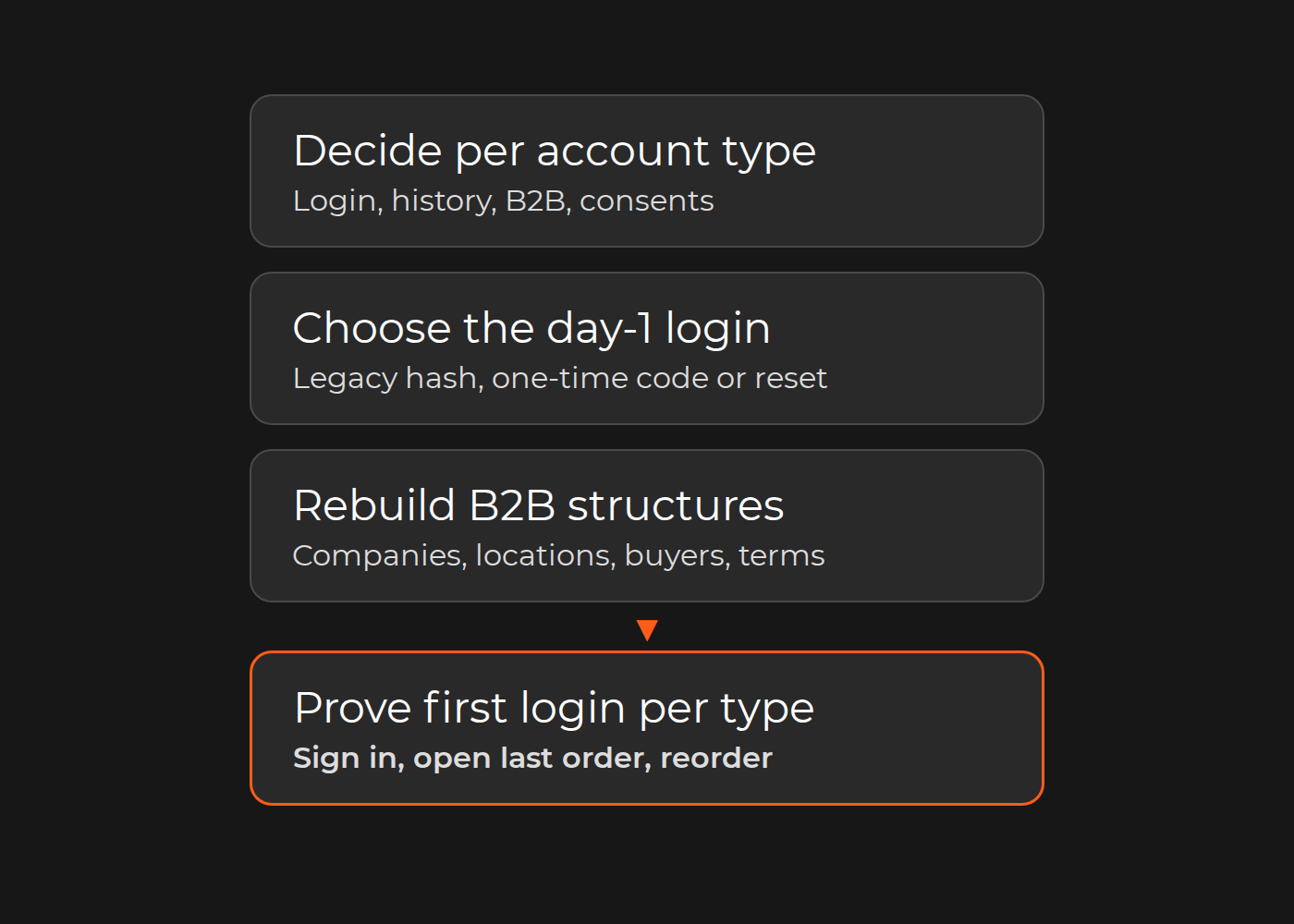
Customer records usually migrate; working logins often do not. Before cutover, decide for each account type how customers sign in on day one, which order history and balances move, how B2B companies and buyers are rebuilt, and how marketing consents keep their evidence. Then prove it: a seeded account of every type signs in, sees its last order, reorders and, for B2B, orders within its limits.
Whether old password hashes can be reused depends on the target platform and the migration route. Shopify says "you can't migrate customer passwords from another online store using a CSV", because "passwords are encrypted outside of Shopify". Shopware's guide for Magento migrations, by contrast, advises keeping its migration extension installed, "as the password algorithms used by Magento would otherwise no longer be available and migrated customers would no longer be able to log in." So choose early, per account type, between legacy-hash support, a passwordless or one-time-code login, and an invitation or reset campaign. Accounts are the part of a migration customers notice first: a failed sign-in, a missing order or a wrong balance shows up on their first visit, and then in your support queue.
Below: an account migration decision matrix, a first-login acceptance test and a customer-service script. The example is fictional; vendor rules are as documented in November 2026. Where accounts sit in the whole project is covered in our replatforming guide.
The account migration decision matrix
Fill one row per account type, with these columns:
Day-1 login: legacy hash, passwordless or one-time code, or invitation and reset.
Data migrated: profile, addresses, order history, store credit and gift cards, wishlists, consents with timestamp and source.
First visit: what the customer sees after signing in.
Communication: which message goes to whom, and when.
Test case and owner: the seeded account, what it must do, and who signs off.
Illustrative example (fictional). A home-textiles retailer with 120,000 customers moves from Magento 2 to Shopify Plus. Passwords cannot be imported, so the team relies on one-time-code customer accounts and a staged email to the 38,000 customers active in the last 24 months. Its 9,000 B2B buyers from 1,400 companies are rebuilt as B2B companies with locations and catalogs; three years of orders migrate for display; marketing consents keep their original timestamps; store-credit balances are reconciled on a 500-account sample; and a delta run imports accounts created during the 48-hour freeze. The filled matrix, condensed:
Account type
Day-1 login
What migrates
First visit
Communication
Test and owner
Guest
One-time code, once the order email is matched to a profile
Profile built from guest orders; three years of orders; consent only where the order record holds an opt-in
Past orders appear if the email matched
None; orders appear at first sign-in
Seeded guest with two orders sees both; CRM owner
Retail
One-time code
Profile, addresses, three years of orders, consents with original timestamps
Code instead of password
Staged email if active in 24 months
Signs in, opens last order, reorders; ecommerce lead
Loyalty
One-time code
As retail, plus store credit
Balance equals the reconciled ledger
As retail, plus balance confirmation
Balance matches on the 500-account sample; loyalty owner
Subscriber
One-time code
As retail; subscription and payment method follow their own plan
Next delivery and charge date unchanged
As retail, plus next charge date
Subscription test passes; subscriptions owner
B2B admin
One-time code
Company, locations, contacts, catalogs, payment terms; three years of orders and consents
Company location, catalog prices, net terms
Notice to company admins before launch
Signs in, orders on net terms; B2B lead
B2B buyer
One-time code
Contact with "ordering only" permission at its location; three years of orders and consents
Catalog prices; old spending limit not yet mapped
Sign-in guide through the company admin
Order within and above the old limit behaves as agreed; B2B lead
Day-1 outcomes in the fictional example. Login is Action for every type because passwords do not move and every customer switches to code sign-in; the B2B buyer gap is the unmapped spending limit. The lane shows the cutover order.
Passwords: legacy hash support, passwordless sign-in or a reset campaign
Route
Possible when
Customer experience
Plan for
Legacy hash support
The target verifies the old hash format on this exact migration path
Same password as before
Keep the component that holds the old algorithms; test with real migrated hashes
Passwordless or one-time code
The target offers code sign-in for migrated profiles
Email address plus a code
Customers who expect a password; a different email creates a new, empty profile
Invitation or reset
Hashes cannot move and codes are not available
Sets a new password from an email
Customers who never act; ticket load after launch
What the vendors document:
Shopify. The Admin API's customer input has no password field. Current customer accounts are passwordless: customers "enter their email address and receive a one-time 6-digit verification code", and "If your customer has a customer profile in your Shopify admin, then they already have an account." Legacy customer accounts "are deprecated" and cannot be used for B2B; on the Plus plan "you can connect your own identity provider". The customer import page still tells you to "invite your customers to create new passwords", a step that only makes sense for password-based accounts, so confirm which account version your store uses.
Shopware 6, with Magento as the source: keep the migration extension installed, as quoted above.
Adobe Commerce supports "multiple algorithms like MD5, SHA256, or Argon 2ID13" and "provides a method to upgrade the hash without changing the original password"; the bin/magento customer:hash:upgrade command moves hashes to the latest algorithm. For Magento 1 to 2, prove in a rehearsal that migrated customers can sign in with their old passwords, because the Data Migration Tool pages we checked do not describe password handling.
Code-based sign-in makes the message simpler, not optional: the Communication column records who hears what, and when. Our Shopify migration services cover this decision as part of the move.
Order history: migrate as records, keep an archive, or leave it behind?
Order history serves three jobs: the customer's order list, reorders and customer service. Decide per job:
Migrate as records for the period customers reorder from or ask about. On Shopify the customer CSV cannot carry them: "Order information can't be imported using a customer CSV file", and the Total Spent and Total Orders columns "aren't imported with customer details". Shopify's migration guide lists migration apps, the Order API and the Transaction API for historical orders, says to import "your products first, then your customers, and then any historical orders", and warns that staff "will receive a new order email for each imported order" unless those notifications are turned off first.
Keep an archive of older orders: a read-only export that customer service and finance can search by customer ID.
Leave it behind when nobody needs it. GDPR's data minimization principle limits personal data to what is "adequate, relevant and limited to what is necessary in relation to the purposes for which they are processed".
Reorder depends on product mapping. An imported order line becomes a new cart only if its old SKU maps to a live product, so test the reorder, not just the display.
B2B accounts: companies, buyers, roles, price lists and payment terms
A B2B account is a structure, not a profile. Shopify B2B, for example, has three levels: "A company is the parent organization for one or more company locations"; a location "can have its own tax ID, tax exemptions, ship-to address, billing address, pricing, payment terms, checkout settings, and contacts"; and a customer "represents the individual that purchases on behalf of a business". To sign in as B2B, a customer must be "associated with one or more company locations". Shopify lists "Location-level permissions (location admin and ordering only)" on every B2B plan, while catalogs assigned directly to a company or location need Plus. The Admin API's companyCreate can create a company with an initial contact and location in one operation.
Source structure
Target (Shopify B2B)
Acceptance check
Company account
Company
Name, external ID, main contact
Branch or ship-to address
Company location
Addresses, tax ID, exemptions
Buyer and role
Customer as location contact with a permission
Each buyer sees only their locations
Customer-specific price list
Catalog
Prices for sampled SKUs per company
Payment terms
Location payment terms
Net terms offered at checkout
Spending limit or approval rule
Native feature, app or custom rule, confirmed before cutover
Over-limit order blocked or routed as agreed
In the example, the old store's per-buyer spending limits have no confirmed target route yet, so the B2B buyer row stays marked as a gap until one is chosen and tested.
Consents, loyalty balances and store credit: data that must keep its evidence
GDPR Article 7(1): "Where processing is based on consent, the controller shall be able to demonstrate that the data subject has consented to processing of his or her personal data." A yes/no flag is not that evidence. Shopify's customer CSV takes only yes or no in its marketing columns, while the Admin API's email consent input takes the marketing state, an opt-in level and consentUpdatedAt, "The latest date and time when the customer consented or objected". Carry the original timestamp where the target accepts it, keep the source evidence (form, wording, date) in an archive, and import any contact without proof as not subscribed. Never turn an unknown into an opt-in. This is a practical checklist, not legal advice; your DPO decides.
Loyalty points, store credit and gift card balances behave like money. Reconcile them account by account against the source ledger, not only in total: in the example, all 500 sampled accounts must match before go-live. How points behave across pickup and returns is covered in loyalty, pickup and returns during replatforming.
Cutover and delta migration: accounts created during the freeze
The final export is a snapshot; customers keep registering, ordering and editing addresses until the old store stops. Plan a freeze window and a delta run. For Magento 1 to 2, Adobe's Data Migration Tool has a delta mode that carries "Data that customers added via storefront (created orders, reviews, and changes in customer profiles)". Between different platforms, build the delta from created and updated timestamps.
Test three delta cases: new accounts (in the example, those created during the 48-hour freeze), changed email addresses and duplicates. Shopify's CSV import skips duplicate emails or phone numbers and imports "Only the last profile", and signing in with an unknown email creates a new profile automatically, so a customer who changed email during the freeze can end up with two profiles. Staff can merge them in the Shopify admin.
First-login acceptance tests and the customer-service script
Seed one account per type on staging with known orders, balances and consents. Every type also opens its last migrated order and reorders it; the rows below add the type-specific check.
Account type
Test
Pass
Guest
Sign in with the order email
Matched orders visible
Retail
Sign in with a code; reorder the last order
Cart holds the mapped products
Loyalty
Sign in, open the balance
Equals the ledger
Subscriber
Sign in, open the subscription
Next charge date unchanged
B2B admin
Sign in, switch location, order on net terms
Catalog prices and terms correct
B2B buyer
Order within and above the old limit
Agreed behavior both times
Go-live needs no "cannot access" result for any type.
Give customer service a one-page script before launch: what changed in sign-in, where orders older than the migrated window live, how to merge duplicate profiles, how to correct a balance, and whom to escalate to. Subscribers' payment methods and next charge need their own test; see migrating subscription customers.
What our migration projects show
Our case pages show data scope, not login outcomes. The Zebrapack migration (Magento 1.9 to 2.4.1) says all essential data, including customers, products and order history, was transferred "without disruption". The Mon Tresor Bebe wholesale store moved from Shopify to Magento 2 with users, products, articles, gallery and orders migrated. Goddess, a Magento 1 to 2 migration, listed "Implementing the delta-migration" among its tasks. For Prostor, a Magento 2 migration for an omnichannel drugstore chain, the case page lists a unified loyalty balance across online and in-store, and guest checkout. None of these pages says how passwords were handled.
The honest limit: no route makes every customer's first sign-in uneventful. The tests remove the surprises you can find before launch; the customer-service script handles the rest.
Exceptions
Same-platform upgrades such as a Magento 1 to 2 migration may keep hashes; confirm the algorithm and the upgrade behavior in a rehearsal.
Single sign-on or an external identity provider keeps logins outside the platform; test the identity mapping instead.
Subscription payment tokens follow their own route, with the payment provider.
Guest orders need a written matching rule (email only, or email plus name) before they attach to accounts.
Consents without proof are never upgraded to opt-ins.
Data you no longer need is not migrated.
Test the result
Seed one account per type on staging, run the first-login, order-history and reorder tests with no "cannot access" result, and reconcile consents and balances on a sample. If any type fails, its matrix row is not ready, whatever the import log says.
FAQ
Can we migrate customer passwords to Shopify?
Not with the customer CSV, and the Admin API's customer input has no password field. Shopify's current customer accounts sign in with a one-time code instead, so a migrated profile can sign in without a password.
Do customers have to register again?
On Shopify's current customer accounts, no: a customer with a profile "already" has an account. With password-based accounts, they need a reset or invitation unless the target can verify the old hashes.
Can B2B buyers keep their logins?
They keep their email address. On Shopify B2B they sign in with a one-time code once they are contacts of a company location.
Can marketing consent be imported?
Yes, as a state. Carry the timestamp where the target accepts it, and keep the evidence in an archive.
Your next step
Fill the matrix for your account types and seed one test account for each before you approve the migration plan. For a second review, our ecommerce replatforming consultancy team can check the matrix and the test results against your source and target platforms.