Approved trade accounts can order online on payment terms without loosening credit control, if one system owns credit and the shop only asks it.
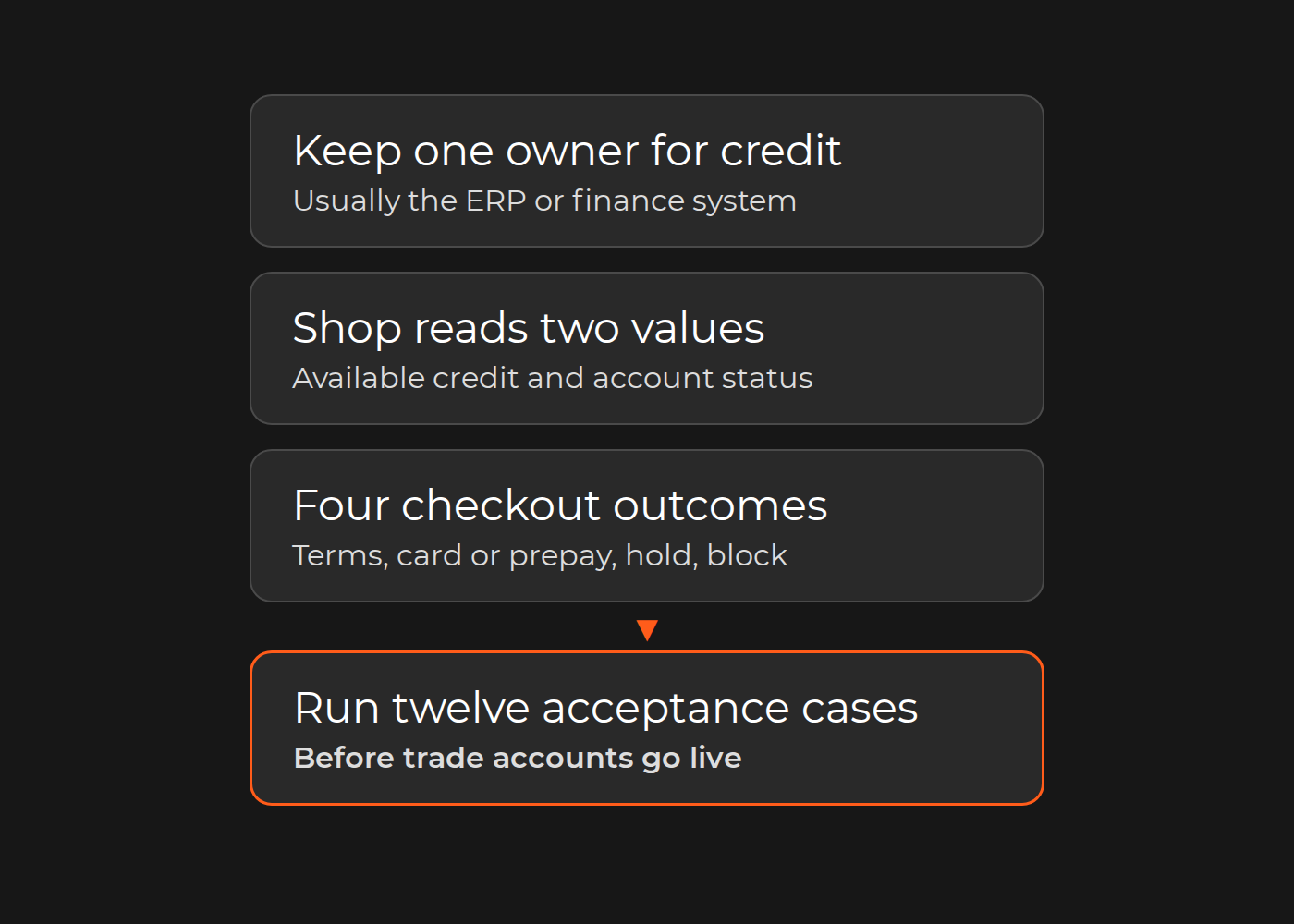
Keep one owner for credit. In most B2B setups that is the ERP or finance system: it holds the credit limit, open invoices, payment terms and dunning status. At checkout the shop reads two values from it, available credit and account status, and picks one of four outcomes: place the order on terms, ask for card or prepayment, hold it for credit review, or block terms. Platform features such as Adobe Commerce company credit with Payment on Account, or Shopify B2B payment terms, fit this model when the ERP feeds them and someone reconciles them. Run them as an independent second ledger and the two will disagree. Before anyone builds, decide the hold rules, how fresh the available-credit figure must be and who releases a held order.
This guide gives heads of B2B ecommerce, credit controllers and ERP owners a responsibility matrix, a checkout decision table, the balance events to synchronize and twelve acceptance cases. It is not credit-risk or legal advice, and platform behavior is quoted from vendor documentation as checked on 19 November 2026.
Why "pay on account" online can break credit control
On the phone, someone checks the account before releasing an order. Online, the checkout decides with whatever figure it was last given. The usual failures:
A stale limit. A nightly sync lets buyers spend all day against yesterday's balance.
Two definitions of exposure. Adobe Commerce records a "Purchased" credit operation when an order is placed with Payment on Account, while an ERP usually sees an open item only after invoicing. Without one formula, the same order is counted twice or not at all.
Payments that never reach the shop. In Adobe Commerce, a company's payment is "an offline payment" that the store administrator enters manually with the Reimburse Balance button, or that an integration posts through the REST API. If neither happens, available credit only goes down.
Overdue accounts that keep buying. Overdue status comes from the ERP's dunning run; a shop that never reads it lets a late payer order on terms.
Several buyers, one limit. Two buyers of one company can each pass a check that their combined orders fail.
If you are still deciding whether to offer pay by invoice, B2B payment methods compares the options.
One ledger: which system owns limits, open items and terms
Fill this matrix with finance, the ERP owner and the ecommerce lead; each row gets one system of record.
Fictional, illustrative example. An electrical wholesaler with 2,600 net-30 trade accounts launches Shopify Plus B2B. The ERP is the credit master, but a nightly sync lets buyers exceed their limits during the day. The matrix shows its target state:
Credit field
System of record
Shop reads or writes
Refresh trigger
Owner
Credit limit
ERP
Reads
On change
Credit control
Available credit (limit minus open invoices minus open orders not yet invoiced)
ERP, calculated
Reads; middleware deducts each new order at once
After each order, invoice, payment and credit note
ERP owner
Open invoices
ERP
Reads, to show in the buyer's account
After each invoice and payment
Finance
Overdue status and dunning level
ERP
Reads as a flag
After the daily dunning run and each payment
Credit control
Payment terms (net 30, net 60)
ERP customer master
Reads; offered only when the credit check passes
On change
Finance
Order hold and release
Shopify draft for review
Holds the order as a draft; credit control releases it in Shopify, and the ERP re-checks on arrival; orders that fail the ERP re-check are held in the ERP order status and released there by credit control
On release
Credit control
Credit notes and returns
ERP
Reads the effect on available credit
After each credit note
Finance
Payment allocation
ERP
Never
Not applicable
Finance
A row with two systems of record, or none, is a defect to settle before build; so is "nightly" as the refresh for available credit or overdue status.
Checkout rules: available credit, overdue accounts and order holds
The decision table turns finance policy into checkout behavior; the thresholds are the fictional wholesaler's.
Account status
Order vs available credit
Overdue
Outcome
What the buyer sees
Approved for terms
Within
Current, or up to 15 days
On net terms
"Payment due 30 days from the order date."
Approved for terms
Exceeds
Current, or up to 15 days
Card or prepayment
"This order is above your available credit. Pay by card now or contact your account manager."
Approved for terms
Any
More than 15 days
Hold for credit review; credit control alerted
"Your order is received and waiting for account review."
Credit stop set by finance
Any
Any
Blocked: no terms; card only if policy allows
"Please contact your account manager."
New account, terms not approved
Any
Not applicable
Card or prepayment
Standard checkout
Credit figure stale or unavailable
Any
Any
Fallback set by finance; for the wholesaler, hold for credit review
"Your order is received and waiting for account review."
How the wholesaler built it: middleware pushes available credit, an overdue flag and the time of the update to each company location after every order, invoice, payment and credit note. Company locations keep Shopify's default of no payment terms, so payment is due at checkout. A payment customization function applies net 30 only when the cart fits within available credit, the account is not more than 15 days overdue and the update is no older than finance's limit; for accounts more than 15 days overdue and for stale figures it adds a review requirement, so the order arrives as a draft for credit control.
Illustrative credit check. The shop reads available credit and account status from the ERP, which events keep current, and returns one of four outcomes in the order of the decision table.
Two rules keep the table honest in production. Check again when the order reaches the ERP: the shop's figure can be minutes old, and the ERP's check counts. And name who releases a hold and how fast, because a hold nobody releases becomes a lost order.
Platform options: Adobe Commerce, Shopify B2B, Shopware or a custom check
Platform
What the vendor documentation describes
What you still design
Adobe Commerce B2B
Company credit per company: credit currency, a credit limit ("Maximum amount the company can owe at any time") and "Allow to Exceed Credit Limit". Payment on Account is "an offline payment method that allows companies to make purchases up to the credit limit"; it is not supported for orders with multiple shipping addresses. A REST API reads credit and changes the balance with typed operations.
Feeding payments and limit changes from the ERP; an overdue or credit-stop rule, since the documented credit settings are currency, limit, allow-to-exceed and a reason for change; which balance governs
Shopify B2B
Payment terms per company location: none (the default, due immediately), net 7, 15, 30, 45, 60 or 90 days from the order date, or due on fulfillment; fixed dates on draft orders. Net terms and vaulted credit cards are on the Basic, Grow, Advanced and Plus plans; deposits, partial payments and payment requests per fulfillment are Plus only. A payment customization function can hide payment methods, set payment terms and add a review requirement; the last two operations are Plus only.
A credit limit and available credit, which the payment-terms documentation does not describe, stored where the function can read them; overdue handling; collection, since "Payments aren't automatically captured when the payment terms expire"
Shopware with B2B Components
B2B Components cover employee management, order approvals, quotes, quick orders and order lists. The Rule Builder controls payment method availability, such as Invoice, with conditions including grand total, customer tag and customer custom field.
A credit check: the documented conditions compare against values set in the rule, so a per-customer available-credit comparison is custom development; an ERP-set tag can switch terms off for held accounts
Custom check, any platform
A checkout call to the ERP or middleware for available credit and status
Timeouts and the fallback when the ERP does not answer
Invoices, partial shipments, returns and credit notes: keeping balances true
Available credit stays true only if every event that changes exposure reaches the figure the shop reads, exactly once.
Event
Effect on exposure
Adobe Commerce credit operation
Who sends the update
Order placed on terms
Up by the order total (open order)
Purchased
Shop, at once
Order canceled before invoicing
Down by the canceled amount
Reverted
Whichever system cancels; the other only reads
Partial shipment invoiced
Unchanged: the shipped part moves from open order to open invoice
None
ERP
Return with credit note
Down by the credit-note amount
Refunded (credit memo)
ERP
Payment received and allocated
Down by the payment
Reimbursed
ERP
Limit changed by finance
Available credit moves with the limit
Updated
ERP
The partial-shipment row is where balances drift. If the shop deducts at order placement and the ERP adds an open invoice at shipment, the shipped part counts twice until someone nets it off. Agree one formula, limit minus open invoices minus open orders not yet invoiced, compute it in one place, and have the shop show that number.
Payment terms across markets: what the EU late-payment rules allow
Directive 2011/7/EU on combating late payment frames B2B terms in the EU. In the European Commission's summary, enterprises have to pay invoices within 60 days, "unless they expressly agree otherwise and provided it is not grossly unfair"; creditors are automatically entitled to interest for late payment and a minimum of EUR 40 as compensation for recovery costs; statutory interest is at least 8% above the European Central Bank's reference rate; and member states may keep or adopt rules more favorable to the creditor. The Commission says it is working on a revision.
For the shop: net 90 is a contract decision, not a dropdown, and national rules can be stricter, so keep term options per country in the ERP customer master.
Exceptions to plan for:
BNPL or factoring for B2B: when a provider takes the credit risk, its approval replaces your limit check for those orders.
New accounts: deposits or prepayment until finance approves terms; in Shopify, deposits are Plus only.
Multi-entity and multi-currency groups: a limit per legal entity and currency, plus a rule for group exposure. Adobe Commerce sets one credit currency per company.
Public-sector buyers: under the directive, public authorities pay within 30 days, or 60 in very exceptional circumstances.
Few trade accounts: approving each order on terms by hand may cost less than an integration.
Acceptance tests before trade accounts go live
The fictional wholesaler ran twelve cases before moving trade accounts online:
No.
Case
Expected result
1
Order within available credit, account current
Net 30 applied; available credit drops by the order total at once
2
Order above available credit
No terms; buyer pays by card at checkout
3
Account 16 days overdue
Order held as a draft for review; credit control alerted
4
Credit stop set in the ERP
No terms at the next checkout
5
Payment posted in the ERP
Higher available credit shown within the agreed time
6
Full shipment invoiced
Open order becomes open invoice; available credit unchanged
7
Partial shipment
Only the shipped part invoiced; shop and ERP exposure match
8
Return with credit note
Available credit rises by the credit-note amount, once
9
Order canceled before invoicing
Reserved amount released
10
Two buyers of one company order at once, together above available credit
Second order caught at checkout once the first order's update has landed; otherwise held at the ERP re-check
11
Credit figure stale or sync down
Orders on terms held, per the fallback
12
Finance raises a limit
New limit visible after the next update; change logged with a reason
How to check your result: name the system of record for each credit field; show the checkout outcome for an over-limit account and for an overdue account; and reconcile one account's online available credit with the ERP after a partial shipment and a credit note.
Magento 1.7 to 2.0 migration for a German B2B exporter of used forklifts; a Magento 2 Invoice Payment extension added pay on account; before the project there was no invoicing
Pay-on-account enablement, not credit-limit enforcement
Real-time data exchange with the client's ERP; before the project, the lack of real-time synchronization led to incorrect pricing on the website
No credit scope stated
None of these pages describes credit-limit enforcement.
Your next step
Fill the matrix and the decision table with your credit controller and ERP owner, then walk cases 2, 3, 7 and 8 through your current setup on paper. If the gaps sit in how credit data moves between the ERP and the shop, Dinarys can review them with you as part of ERP integration work: which events to send, where to compute available credit and which acceptance cases to automate.
FAQ
Should the credit limit live in the ERP or in the ecommerce platform?
In the ERP or finance system, if that is where invoices, payments and dunning are recorded. The platform keeps a copy for checkout.
Does Shopify B2B have credit limits?
Shopify's payment-terms documentation describes term types, deposits and paying later; it does not describe a credit limit. A limit check needs an available-credit value from your ERP and, to apply terms or a review requirement at checkout, a payment customization function on the Plus plan.
What does "Allow to Exceed Credit Limit" do in Adobe Commerce?
It is a per-company setting for "whether companies can place orders exceeding available credit". Use it deliberately and record why in the Reason for Change field.
How often should available credit update?
After every event that changes exposure: order, invoice, payment, credit note and limit change. Keep a nightly run only as a reconciliation.