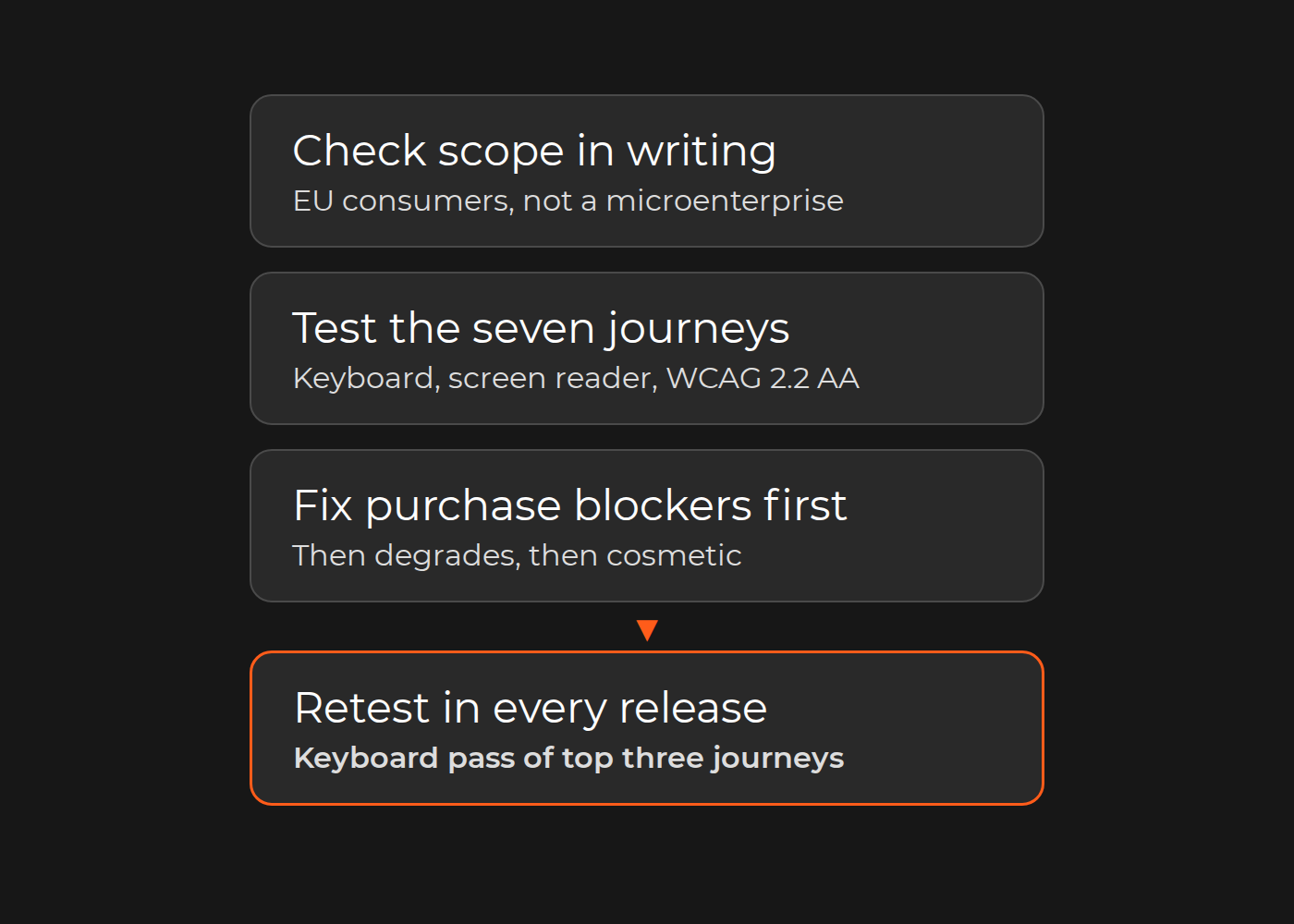
If your online store sells to consumers in the EU and your business is not a microenterprise, the European Accessibility Act applies to it. The Act is Directive (EU) 2019/882. Member States had to apply their national rules from 28 June 2025; in Germany that law is the Barrierefreiheitsstärkungsgesetz (BFSG). What your store must pass is not a scanner score. A customer using only a keyboard, or a screen reader, must be able to search, choose a product variant, use the cart, check out, pay, sign in and request a return. Test those seven journeys against WCAG Level AA, fix whatever stops a purchase first, and retest them in every release.
The Directive covers "e-commerce services" provided to consumers after 28 June 2025 (Article 2(2)) and defines them as "services provided at a distance, through websites and mobile device-based services by electronic means and at the individual request of a consumer with a view to concluding a consumer contract" (Article 3(30)).
This is plain-language guidance, not legal advice. Confirm your obligations, and the national law in each country you sell into, with your counsel.
Does the EAA apply to your store?
Answer four questions in writing.
Do consumers in the EU buy from you? A consumer is a natural person buying "for purposes which are outside his trade, business, craft or profession" (Article 3(22)).
Are you a microenterprise? That is an enterprise "which employs fewer than 10 persons and which has an annual turnover not exceeding EUR 2 million or an annual balance sheet total not exceeding EUR 2 million" (Article 3(23)). Microenterprises providing services are exempt from the service requirements (Article 4(5)), but not from the rules for products the Directive lists, such as consumer computers and e-readers.
Which national law applies? Expect the law of each Member State where you provide the service: the Directive has you inform the authorities "of the Member States in which the service is provided" (Article 13(4)). Confirm with counsel. Germany's BFSG covers e-commerce services provided to consumers after 28 June 2025 (§ 1(3)) and exempts microenterprises providing services (§ 3(3)); its regulation, the BFSGV, sets the e-commerce requirements in § 19.
Do you sell only to businesses? The definition turns on a consumer contract, so a B2B-only shop may fall outside it. Get legal confirmation, especially if consumers can register or check out.
Then write it down in one sentence: "Our German storefront and app are e-commerce services under the BFSG; with 40 staff we are not a microenterprise."
What "accessible" means: Annex I, EN 301 549 and WCAG
Annex I requires websites and apps to be accessible "in a consistent and adequate way by making them perceivable, operable, understandable and robust" (Section III(c)). For e-commerce it adds three requirements (Section IV(g)):
"providing the information concerning accessibility of the products and services being sold when this information is provided by the responsible economic operator";
"ensuring the accessibility of the functionality for identification, security and payment when delivered as part of a service instead of a product by making it perceivable, operable, understandable and robust";
"providing identification methods, electronic signatures, and payment services which are perceivable, operable, understandable and robust."
The Directive does not name WCAG. It presumes conformity for services that meet harmonized standards whose references are published in the Official Journal (Article 15(1)). Version 3.2.1 (2021) of the standard EN 301 549, prepared for the public-sector Web Accessibility Directive, treats WCAG 2.1 Level AA as equivalent to its web clauses. Version 4.1.1, published in September 2026 under the Commission's standardization request for the EAA, aligns them with WCAG 2.2; its foreword says the presumption applies once it is cited in the Official Journal under the EAA, so check its status. In practice, test against WCAG 2.2 Level AA: the W3C states that content conforming to WCAG 2.2 also conforms to 2.0 and 2.1.
WCAG's own example shows why you test journeys, not pages: "An online store has a series of pages that are used to select and purchase products. All pages in the series from start to finish (checkout) conform in order for any page that is part of the process to conform."
The journey-by-criterion acceptance sheet
Each row is a journey a customer must finish. The criteria are the WCAG 2.2 Level A and AA success criteria most likely to block that journey (the first two) or degrade it (the third).
Journey
Criteria to check first
How to test
Usual owner
1. Search and filters
2.1.1 Keyboard; 4.1.2 Name, Role, Value; 4.1.3 Status Messages
Filter and sort by keyboard; result count announced
Sign in with a password manager; paste a one-time code
Theme, login app
7. Returns request
2.1.1 Keyboard; 3.3.2 Labels or Instructions; 1.3.1 Info and Relationships
Start a return for one item from the order history
Returns app, content team
Check on every page: 1.4.3 Contrast (Minimum), 2.4.7 Focus Visible, 1.4.10 Reflow, 2.4.11 Focus Not Obscured (Minimum) and 2.5.8 Target Size (Minimum). Criteria 2.4.11, 2.5.8, 3.3.7 and 3.3.8 are new in WCAG 2.2. They are not in WCAG 2.1 or EN 301 549 V3.2.1; V4.1.1 includes them but gives a presumption only once cited in the Official Journal.
Add three columns as you test:
Result: pass, fail or not tested, with page and device.
Severity:blocks purchase (the customer cannot finish), degrades (they finish with extra effort or help) or cosmetic.
Fix release: the release carrying the fix, agreed with the owner.
Test each journey four ways: keyboard only (Tab, Shift+Tab, Enter, Space, arrows, Escape); with a screen reader, such as NVDA on Windows or VoiceOver on iPhone; at a 320-pixel-wide viewport; and with an automated scan, which cannot pass a journey on its own.
The seven journeys in buying order. Solid red chips mark the WCAG 2.2 criteria most likely to block each journey, outlined amber chips the one most likely to degrade it, and the pill names the usual owner of the fix. The bottom band applies to every page.
Worked example: one blocker list, three owners
Fictional, illustrative example. A German direct-to-consumer cookware brand with about 40 staff sells through a Shopware 6 storefront. It is not a microenterprise, so the BFSG applies. Its automated scan is mostly green. Keyboard and screen-reader testing of the seven journeys finds three purchase blockers.
Journey
Finding
Criterion
Severity
Owner
Fix release
2. Product page
Color swatches cannot be reached or selected by keyboard
2.1.1
Blocks purchase
Theme team
Release 1
4. Checkout forms
Errors shown only as a red border, with no text tied to the field
1.4.1, 3.3.1
Blocks purchase
Checkout app vendor
Release 1
All, on mobile
Cookie banner traps keyboard focus
2.1.2, 2.4.3
Blocks purchase
Consent vendor
Release 1
5. Payment
Hosted card fields and challenge window
2.1.1, 2.1.2
Pass
Payment provider
None
All
22 text and button contrast failures
1.4.3
Degrades
Theme team
Release 2
Release 1 ships the three blockers, then a keyboard retest of all seven journeys; the contrast fixes follow next sprint.
Components you do not control: payment fields, cookie banners, chat and reviews
The e-commerce requirements name "identification, security and payment" functions, which often come from third parties, as do the consent banner, chat, reviews and search. The Directive excludes "third-party content that is neither funded, developed by, or under the control of, the economic operator concerned" (Article 2(4)(d)), but its Recital 20 adds: "Even if a service, or part of a service, is subcontracted to a third party, the accessibility of that service should not be compromised". A widget you chose, configured and placed in your purchase path is unlikely to count as content outside your control. Ask counsel before relying on that exclusion.
Keep a second tab next to the sheet:
Component
What to test
Evidence to request
Payment fields and 3-D Secure challenge
Labels, errors and keyboard use inside the frame and challenge window
A written conformance report against WCAG 2.2 AA or EN 301 549, with test date and known exceptions
Launcher name, focus in and out, new messages announced
The same report
Reviews widget
Star ratings available as text; filters and pagination by keyboard
The same report
Search or merchandising service
Autocomplete by keyboard; result count announced
The same report
Log a failing component with the vendor as owner and a fix date, or record a decision to replace it.
Automated scans, overlays and manual testing
The W3C is direct: "no tool alone can determine if a site meets accessibility standards. Knowledgeable human evaluation is required to determine if a site is accessible." Run scans on every build to catch missing labels, alternative text and contrast regressions; they cannot tell you whether a screen-reader user can choose a variant or pay. Failures such as unclear form labels and lost focus also surface in a UX audit of the buying journey.
Overlay widgets that promise automatic compliance add a script on top of your pages; they do not fix the theme, checkout or vendor components that produce the barriers.
Germany's monitoring method also follows the journey: Annex 1 to the BFSG tells the market surveillance authority to check all steps of a service at least in a typical user's standard order, assessing forms, controls, dialogs, error messages and behavior with assistive technologies (our translation); § 28(2) lets the authority check services by sample even without a specific cause.
Prioritize fixes and release them without breaking the theme
Order the work. Blocks purchase first, then degrades, then cosmetic. Within each group, fix shared components first: one swatch component fixes every product page that uses it.
Fix at the source. Change the theme component, extension or vendor setting, not individual pages or a script that rewrites them after load.
Disproportionate burden is not a blanket exit. Article 14 requires an assessment against the Annex VI criteria, documented and kept for five years after the service was last provided, renewed when the service changes, when an authority asks and at least every five years, and notified to the authorities where you provide the service (microenterprises excepted). It is unavailable if you received outside funding to improve accessibility.
Transitional rules are narrow. Article 32 lets service providers keep using products they lawfully used before 28 June 2025 until 28 June 2030, and lets service contracts agreed before that date run unchanged until they expire, for no longer than five years (Germany: 27 June 2030). Ask counsel before assuming either covers your storefront.
Marketplaces and platform providers have their own roles; this guide covers your own storefront and app.
The US is separate. The Department of Justice's 2022 web guidance says it "does not have a regulation setting out detailed standards" for businesses.
Keep it accessible: regression checks and published information
Article 13(3) requires procedures that keep the service in conformity as it changes:
Add a keyboard pass of your top three journeys to every release checklist, and rerun the full sheet when the theme, checkout, payment provider or a widget changes.
Keep the scan in the build: a new failure blocks the release or gets an owner and a fix release.
Annex V also requires published information, in your general terms and conditions or an equivalent document: "a general description of the service in accessible formats", "descriptions and explanations necessary for the understanding of the operation of the service" and "a description of how the relevant accessibility requirements set out in Annex I are met by the service." Germany's BFSG (Annex 3) adds the competent market surveillance authority, and the information itself must be accessible (Article 13(2)).
Article 13(4) requires corrective measures for a non-conformity and, where the service is not compliant, informing the competent authorities. Penalties are national: Germany's BFSG allows fines of up to EUR 100,000 for offering or providing a service in breach of § 14(1), and up to EUR 10,000 for the other listed offenses (§ 37(2)).
One limit: this sheet does not prove conformance. It covers the purchase path, not every page or app screen, and does not replace a full EN 301 549 audit or a legal review.
Check your result
You have finished the first pass when you can:
State in one sentence whether your store is in scope and which national law applies.
Complete your top three journeys by keyboard only and with one screen reader, on desktop and mobile.
Show every blocker on the sheet with an owner and a target release, and a vendor evidence request for every third-party component.
If you want to discuss an accessibility review of your buying journey, Dinarys' ecommerce testing and QA team can include the seven journeys in your release testing as agreed scenarios with keyboard input checks, reporting each as passed, failed, blocked or untested.
FAQ
Does the EAA apply if our company is outside the EU?
It can: a service provider includes anyone who "makes offers to provide such a service to consumers in the Union" (Article 3(4)). Confirm with counsel.
Is WCAG 2.1 AA enough, or do we need WCAG 2.2?
Test against WCAG 2.2 AA. EN 301 549 V3.2.1 maps to WCAG 2.1 AA and V4.1.1 to WCAG 2.2, and content that conforms to WCAG 2.2 also conforms to 2.1.
Will an accessibility overlay make our store compliant?
Not on its own. No tool alone can establish conformance; fix the components and test the journeys by hand.
You may share this article
Let professionals meet your challenge
Our certified specialists will find the most optimal solution for your business.