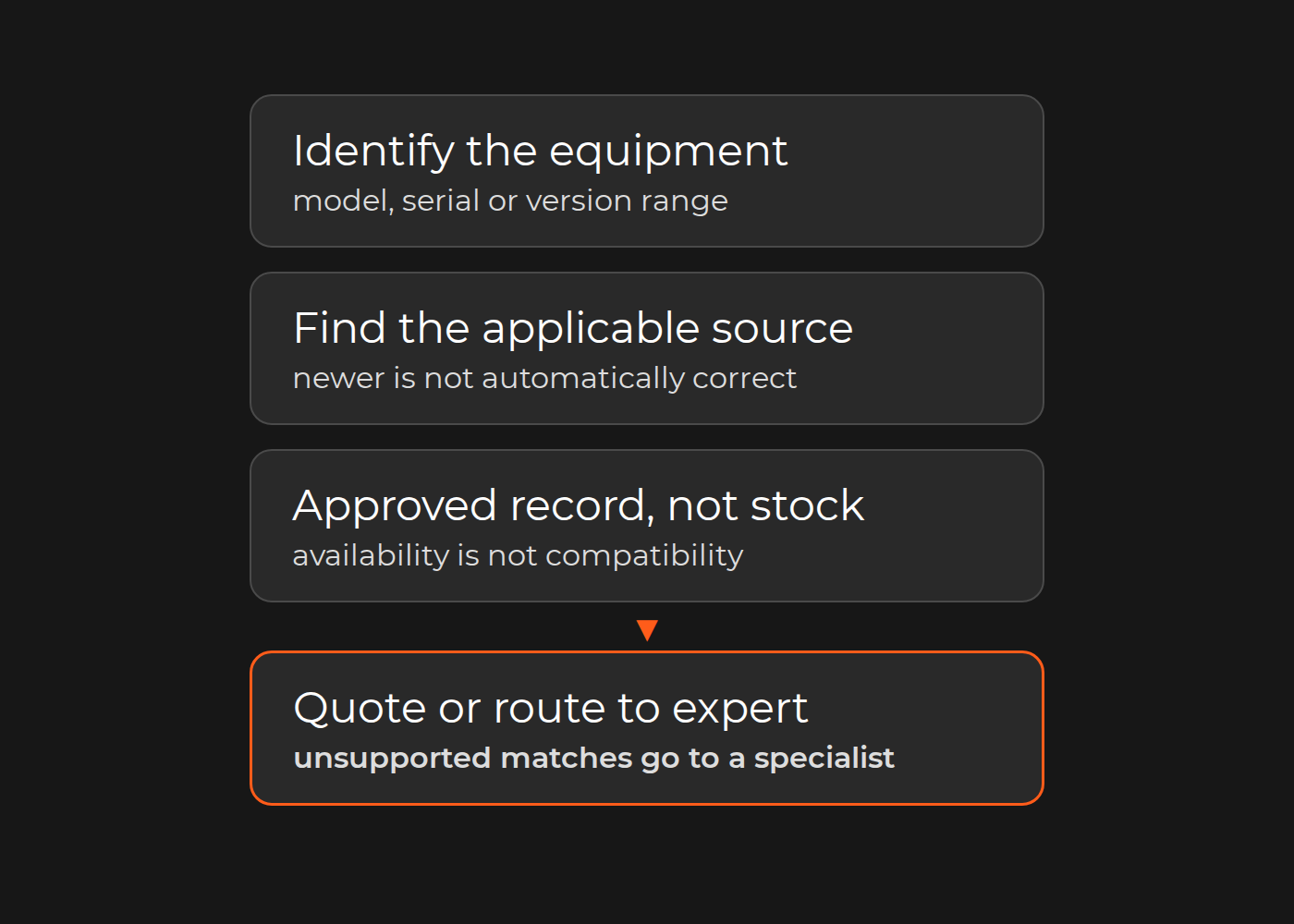
A dealer finds a part number in a manual. Before that number can support a quote, the parts team still needs to establish which equipment the manual covers, whether a later record changes the number, and what the commercial system can actually supply.
Can a buyer find a compatible, available part and get a correct quote without relying on one expert? Only if the catalog connects manuals, compatibility, cross-references and availability around the same equipment identity. Text retrieval, however good, cannot by itself establish a safe replacement. The catalog has to know which machine the buyer has, which source applies to it, and whether an authoritative record links the requested number to the one in stock. When that link is missing, the request goes to a parts specialist instead of becoming a quote.
An electronic parts catalog connects searchable parts information with equipment context and supporting documentation. It may include illustrated navigation, applicability rules, and a quote-request workflow. It does not make every number it displays compatible with every machine.
For a service or parts leader comparing software, the choice is not simply “PDFs or AI.” Compare three options: improve the existing document-management system (DMS) and search; use a structured parts catalog with maintained rules; or add source-filtered retrieval-augmented generation (RAG) where conversational retrieval earns its place. Try adequate off-the-shelf capabilities before commissioning custom software.
One compatibility record: what the catalog must hold for a single request
Here is the record for one illustrative request in a non-automotive catalog. The equipment, part numbers and stock are invented.
Field
Value in the example
Owner
Status
Equipment and model
E100
Buyer; intake checks it
Known
Serial or version range
Version B
Buyer
Known
Part requested
P7
Buyer
Requested
Part ID in the source
The older E100 manual names P6 at this position
Document owner
Source found
Supersession
No authoritative record links P6 to P7
Product-data owner
Missing
Compatibility evidence
None for P7 on E100 version B
Product-data owner
Missing
Inventory
P7 shows as available
ERP
Known, but says nothing about fit
Quote
Request for quote held
Sales
On hold
Unresolved match
The P6-to-P7 relationship
Parts specialist
Open
Reviewer
Named parts specialist; releases the hold only when an approved cross-reference or supersession record exists
Service owner
Assigned
The line to watch is inventory. Stock shows P7 as available, and a catalog that ranks results by availability would present it first. Availability is not compatibility: the request for quote waits for the parts specialist until an approved cross-reference establishes the match, and the record keeps P6, P7 and the missing link visible to whoever picks it up next.
Accept a catalog, or a change to one, only when it handles cases like these in a test environment:
Starting state
Action
Expected result
Adverse result to reject
Evidence
Pass/fail owner
E100 version B; no P6-to-P7 record
Buyer requests P7
Request held; specialist notified with the record
P7 quoted because it is in stock
Hold reason and routing record
Service owner
Same, after an approved P6-to-P7 supersession record for version B is added
Buyer requests P7
P7 quoted with the supersession source attached
Quote issued without the source reference
Supersession record ID
Product-data owner
E100, version unknown
Buyer requests P7
Version requested; no quote
Version B assumed
Intake record
Sales lead
E100 version A; the record covers version B only
Buyer requests P7
No safe match; routed to the specialist
Version B's record applied to version A
Applicability scope on the record
Product-data owner
The pass condition is the same in every row: a superseded or incompatible part is never presented as a safe match, and an unsupported match goes to a specialist. A matching description is not proof of physical compatibility or of any safety certification. The fuller comparison set further down adds access, withdrawn-source and commercial-system cases.
How the record maps to delivered parts-lookup scope
Dinarys has delivered automotive parts lookup that covers several of these fields. Its automotive parts marketplace case describes a platform for an automotive parts distributor (anonymous under NDA) that integrates TecDoc's parts catalog for 250,000 to 2 million parts on Shopify Plus.
Manufacturer or supplier cross-reference, supersession bulletin
Cross-reference data for alternative parts; supersession is not described
Keeping records current
Source revision control and change triggers
Data synchronization and validation systems set up during the TecDoc integration
Commerce
ERP stock and quote
Shopify Plus ecommerce functionality
TecDoc is an adjacent mechanism, not proof for your equipment: it is vehicle-parts data, not industrial manuals, so it cannot show that any record above is correct for an E100. The case page lists its expected results as objectives, without measured figures, and does not describe supersession handling, specialist holds, RAG or safety validation.
Which approach fits your parts workflow?
Start with the work the system must support—not the interface you want to buy.
Approach
A good reason to choose it
What it still needs
What it does not establish
Existing DMS and PDF search
Staff need to locate controlled manuals and exact part references; the existing repository can support the required access and metadata
Reliable document status, equipment filters, readable/indexed content, and a clear handoff for applicability questions
A text match is not a compatibility decision or a current quote
Structured electronic parts catalog and rules
Users need repeatable model/serial navigation, linked diagrams and parts lists, maintained identifier relationships, and a parts-request handoff
A rule is only as authoritative and current as its source data
Optional source-filtered RAG
Users ask varied questions across permitted manuals, and a comparison shows ordinary search is insufficient
The same source and applicability controls, plus retrieval evaluation, supported-answer limits, citations, and domain review
A fluent answer or strong retrieval score cannot create missing fitment evidence
These options can coexist. A structured catalog can link back to controlled PDFs. Search can work over both. RAG can help explain where an answer is documented without becoming the authority that selects a replacement or releases an order.
Stay with DMS search if it meets the actual lookup need. Move toward a structured catalog when equipment-to-part relationships and repeatable navigation are the missing capability. Evaluate RAG only for a remaining retrieval or explanation problem—not to compensate for missing manuals, unresolved compatibility, or unclear rights.
What off-the-shelf software already demonstrates
Product documentation provides useful comparison points. PTC Arbortext Content Delivery 7.2.0.0 help describes filtering content for a selected serial number. It also notes that the same serial number can occur for different products or models. That makes product context important even when a user supplies a serial number.
Documoto's interactive-catalog page describes linked bills of materials and diagrams, manual publishing, API integration with ERP/PLM/PIM systems, and XML-based publishing. Its FAQ describes content access controls and a business-system integration interface; it also says customers are responsible for developing and publishing the web service used by that integration.
These are vendor-described capabilities, not a finding that either product fits your equipment, subscription, installed version, or ERP. Ask a shortlisted vendor to demonstrate your source sample and exceptions. If configuration and a bounded integration cover the requirement, a custom catalog engine may add responsibility without adding useful capability.
Connect manuals to equipment applicability—not just filenames
Five relationships to store separately: source context, alias, supersession, applicability, and unresolved conflict.
The catalog needs to answer two separate questions: “Which source applies?” and “What does that source support?” A newer manual is not automatically correct for an older machine.
Knowledge sources: preserve context at the page and part level
For each controlled source, retain its publisher, document ID, revision, issue date, active or withdrawn status, and exact locator. Link it to the equipment information that determines applicability:
Product family and model, using stable identifiers rather than display names alone.
Serial number or explicitly defined inclusive range, including the manufacturer's numbering convention.
Equipment revision, configuration/options, and known modifications where relevant.
Market or regional variant; language alone does not establish market applicability.
Effective dates, exclusions, and later bulletins that amend a specific relationship.
Keep document revision separate from equipment revision. “Manual rev. B” and “equipment rev. B” are different fields even when their letters happen to match. If page-level content has different applicability from the document cover, preserve that narrower scope.
Choose the schema from the authoritative sources and your equipment families. Vehicle fitment data is relevant when the catalog serves vehicles and their applicable variants; an industrial-equipment catalog instead needs its own authoritative model, serial, configuration, and effectivity relationships. A vehicle-data format is not a substitute for those records. Likewise, a vendor's XML import format describes a publishing interface, not universal engineering compatibility.
Illustrated and 3D catalogs: navigation, not proof of fit
An illustrated parts catalog links a parts list to labeled drawings, often exploded views. Interactive callouts can connect a diagram item to its row. A 3D catalog adds spatial navigation such as rotation, zoom, and component selection. Both can help a user locate a candidate; neither resolves an undocumented variant merely by showing a convincing picture.
PTC's 7.1.5.0 parts-list help describes callouts highlighting associated parts and distinguishes cross-references, supersession, and alternates. It also documents a context limitation: opening a parts list from global search does not set context, while kit links are filtered once context is set. That is a concrete reason to test how a user enters a catalog, not only how a prepared model-specific screen behaves.
When evaluating 3D parts catalog software, check that the displayed model corresponds to the relevant service configuration, that selectable geometry maps to maintained service part IDs, and that simplified or reused illustrations do not hide distinctions. Include equipment without usable CAD in the demonstration. A capable 2D catalog may be sufficient; 3D is not a prerequisite for controlled lookup.
A citation, similar label, diagram callout, or replacement number never independently authorizes a real substitution, quote, or order. This comparison does not provide installation or repair instructions.
Keep aliases, supersession, and fitment as different relationships
Do not collapse every relationship into a generic “matching part” field.
Relationship
What to store
What not to infer
Alias or cross-reference
Issuer/supplier, original identifier, referenced identifier, source revision, and scope
A reused supplier number or similar name proves equivalence or fitment
Supersession
Old and new IDs, direction, effective scope, conditions, and authoritative source
The relationship is reversible, unconditional, or valid across the family
Fitment/applicability
Part ID linked to the specified equipment configuration, supporting authority, exclusions, and status
An alias or supersession edge supplies missing equipment evidence
Unresolved candidate
Possible IDs, missing inputs, conflict, and next decision
A higher search score resolves the conflict
If two active records disagree about a replacement, do not select the newest-looking number unless the authoritative change process actually resolves precedence. Preserve the conflict and route it to the responsible product-data or technical owner. Source maintenance is part of the solution, not cleanup that AI can perform by guessing.
Set boundaries for access, retrieval, and commercial data
Five boundaries between finding a part and releasing a quote: access, retrieval, applicability, response, and commercial handoff.
Permissions: separate dealer, customer, and internal use
A dealer login is not a complete rights model. Establish which organizations and users may see each source and which uses are allowed: viewing, downloading, redistribution, indexing, or processing in an AI service. Permission to read a supplier PDF does not necessarily permit uploading it to a different platform.
Apply permissions before content reaches search results or a generative model. Test titles, snippets, citations, direct document links, exports, and cached answers—not just the main page. Equipment applicability and user entitlement are separate filters; passing one does not pass the other.
Microsoft's Azure AI Search security-filter documentation explicitly warns that the identity string used in its filter pattern does not itself perform authentication or authorization. The application must establish the user's identity and enforce the appropriate access path. A prompt telling an assistant to ignore restricted files is not that control.
Retrieval: add AI only within the eligible source set
For a proposed RAG layer, first establish the permitted, active, equipment-applicable source set. Preserve document/version/locator metadata on retrieved passages. If required equipment context is missing, request it rather than quietly broadening the search to other versions.
Then compare exact-number/keyword search with hybrid retrieval on the same questions and corpus. Microsoft's RAG overview describes hybrid queries combining keyword and vector search. Its filter documentation distinguishes exact value-based filtering from relevance search. These are mechanisms to evaluate, not evidence of compatibility or guaranteed answer quality.
Keep three checks separate:
Retrieval: did the system find the expected eligible source and locator?
Applicability: does authoritative evidence support this candidate for the supplied equipment context?
Response boundary: did the system state only what is supported, ask for missing information, or abstain appropriately?
A correct citation can accompany an unsupported conclusion. For example, a manual may identify item 7 but say nothing about whether a later replacement fits a modified machine. The appropriate output is the supported reference and the unresolved question—not a confident substitution recommendation.
Parts workflow: connect ERP and PIM without borrowing their authority
Define an owner and source of record for each field. A PIM may supply descriptions and catalog attributes; a PLM or controlled service-data process may maintain technical applicability; an ERP or quoting service may provide account-specific commercial data. Confirm the actual division in your environment rather than assigning authority from a system's name.
Carry the candidate part ID, equipment context, source revision/locator, quantity and unit, requesting account, and unresolved conditions into the quote request. Keep lookup status visible. A technically unresolved request should stay a clarification request, not be presented as a supported quote line.
For availability and pricing, verify the account, market, currency, quantity/unit, timestamp, and meaning of the response. On-hand stock is not necessarily available-to-promise, and a displayed price is not necessarily an approved quote. PTC's serial-number help makes even its price/availability display conditional on loaded BOM data and administrator preferences. A product screenshot does not prove your integration is present or current.
If a commercial API is unavailable or returns stale data, show that status. Do not fill the gap from a manual, an earlier answer, or an LLM estimate. Quote approval, substitution approval, reservation, and order release remain separate controlled actions; this lookup design does not automate their authorization.
Source maintenance and service release
Specify who approves a new manual, changes an applicability rule, resolves a supersession conflict, and withdraws a source. Those responsibilities must be confirmed; buying software does not supply a qualified domain reviewer.
Use engineering changes, bulletin releases, rights changes, and dealer-access changes as update triggers. Agree additional checks based on the source owners' actual publication process rather than assuming every catalog needs the same refresh schedule.
Withdrawal needs its own test. Block the source from retrieval and generation, update or remove derived passages and cached answers, and prevent old links from exposing content to unauthorized users. Where retention is required, keep audit material in a separately authorized location—not in the searchable dealer corpus. An older manual still valid for an older serial range is different from a revoked or withdrawn source.
Before releasing a changed catalog to its intended audience, rerun affected lookup, permission, abstention, and handoff cases. Provide a route for reporting a questionable result and pausing affected content. Do not label the catalog ready merely because ingestion completed.
Compare the options with a bounded test set
Use one permitted equipment family and the same expected answers across the alternatives. The goal is to find which solution covers the workflow—not to stage a conversational demo that every system can answer.
A fictional manuals, equipment, and candidate test pack
The cases below are selected from a comparison set built on entirely fictional Oriole equipment, source documents, part IDs, rights, and expected review dispositions. To build your own set, use two worksheets:
Source register: each source's version, equipment scope, status, and permitted audiences and uses, so the expected answers can be checked against it.
Comparison cases: one row per case, with inputs, expected source and locator, candidate or abstention, and expected reviewer disposition.
The fictional set is not manufacturer evidence, a Dinarys client case, a safety validation, or a real parts recommendation. In both worksheets, ranges are inclusive, and document revision and equipment revision are different fields. “UNKNOWN” means unknown, not zero, false, or out of stock; “NONE_SELECTED” means the expected response selects no part, not that no real part exists.
Selected cases illustrate what an informative comparison should expose:
Case
Input or trap
Expected lookup behavior
T01
Older O200 equipment with complete identifiers
Use the older applicable manual and applicability record, not the newer manual for another range
T03
Rev. A manual supplied for equipment covered by rev. B
Reject the submitted source as inapplicable; cite the applicable rev. B source and retain candidate-only status
T04 / T06
Missing serial number or equipment revision
Ask for the missing field; do not infer it from the best-looking result
T05 / T07
Unsupported serial or contradictory serial/revision
Abstain and request verification; do not silently repair the input
T08
Supplier alias reused by two suppliers
Ask which supplier; do not turn the alias into fitment evidence
T09
Two unresolved supersession bulletins
Show the conflict only to an entitled user; select no replacement
T10 / T11
Restricted or revoked source
Return no protected source content, title, citation, or candidate derived from it
T12
Question not answered by the permitted corpus
State that there is no supported answer; do not invent a number
T15
Supported lookup but commercial API unavailable
Preserve the candidate and pending technical check; provide no price, availability promise, or released quote
The pack's reviewer column describes expected test dispositions, not decisions made by an actual reviewer. Even a fixture-supported candidate remains subject to real technical and commercial processes outside the test.
How to use the comparison
Have your domain expert and data owner replace the fictional rows in a separate working copy with permitted sources and expected outcomes for your family. Keep unknowns explicit. Import identifiers as text to preserve punctuation and leading zeros, split sources by source ID rather than indexing them as one unrestricted document, and keep restricted evidence out of broadly shared worksheets. Record observed results in a separate worksheet so expected and observed fields never mix.
Run the same cases through existing search, a shortlisted catalog product, and—only if justified—a RAG option. Record the observed source/version/locator, applicability handling, candidate, abstention reason, access behavior, and handoff. Assess supported answers and appropriate abstentions separately: refusing every query is not useful coverage, while answering every query is not correctness. Report sample size and unresolved cases without turning this small set into a universal accuracy or safety claim.
Use the differences to make the solution decision. If existing search locates the right source but cannot maintain equipment-to-part relationships, compare structured catalog capabilities. If a catalog handles those relationships but users still cannot find relevant passages in permitted manuals, evaluate retrieval improvements. If the evidence itself is missing, fix the source problem before adding another interface.
Off-the-shelf or custom: define the gap before the build
Choose custom work only for a demonstrated gap that configuration, an existing connector, or a bounded extension cannot adequately cover. Examples to investigate include an unusual equipment-effectivity model, cross-system permission enforcement, or a handoff that must preserve technical holds across catalog and quote systems. They are possible requirements, not claims that every organization needs them.
Compare the full responsibility: source conversion, applicability mapping, licensing, integration, access administration, evaluation, change handling, support, and export/exit. A custom UI over an established catalog may be sufficient; you need not rebuild publishing and relationship management to change the dealer experience.
There is no responsible build-price or timeline estimate without the source condition, rights, equipment scope, integration behavior, and maintenance responsibilities. Establish those inputs rather than borrowing a vendor benchmark or assuming an ROI result. A usable scope worksheet has five lines: manual quality (structured, scanned or missing), product and version coverage, who owns fitment data, the ERP integration for stock and quotes, and the specialist time needed to review unresolved queries after launch. Mark any line you cannot yet describe as unavailable, not zero.
When you shortlist an implementation partner, ask for comparable work and its limits, and ask them to demonstrate the acceptance cases above on your sample: a superseded or incompatible part must not appear as a safe match, and an unsupported match must reach a specialist. Record each claim with its source, the partner's own contribution, how any result was defined, its limit, its date and whether you may contact the client. Dinarys's closest public case is the automotive parts marketplace described above: vehicle-parts lookup, not industrial manuals, RAG or safety validation, and not evidence of automotive safety competence. A separate guide covers choosing an AI knowledge and parts-workflow partner in more depth.
Next step: verify the source sample with a domain expert
Choose one equipment family, a permitted source sample, and the cases that must answer, clarify, or abstain. If those answers currently depend on a few people, start by mapping the recurring questions they answer, the permitted source for each, and who owns the next decision. Have your domain expert verify the expected source, applicability, and candidate boundaries. First practical check: run the first and fourth acceptance cases above against your current lookup. If a part can be presented as a safe match without evidence for that equipment version, or the request does not reach a specialist, that is the gap to close first. Use that set to compare the existing tools with off-the-shelf catalog capabilities before deciding whether custom integration or optional RAG is justified.
If you want to discuss the integration scope with Dinarys, bring the equipment-family boundary, source/rights summary, and test cases to the contact channel. Confirm permissions before sending manuals. Keep domain review and any safety-critical decisions with appropriately authorized equipment specialists; confirm their availability and scope before proceeding.