Content
E-Commerce
Your Only SAP BW Expert Is Leaving: Which Reports Are at Risk?
Time to read: 5 minutes

Your BW specialist is leaving. Which business decisions depend on the small actions that person performs before anyone else opens a report?
Rank reports by what decision stops, how long the business can wait, and whether a second authorized person can run and check the flow today. A report can still open while its data is stale. A documented job can still depend on an undocumented exception.
The immediate task is to define the transition perimeter: the reports, data flows, knowledge, and owners that must be handed over. Choosing a hiring or support model comes after that map.
Three misleading signs of SAP BW reporting continuity
Check the evidence behind apparently healthy reports before deciding that a departure is covered. Job status, documentation, and usage counts each tell only part of the story.
“The job completed, so the report is fine”
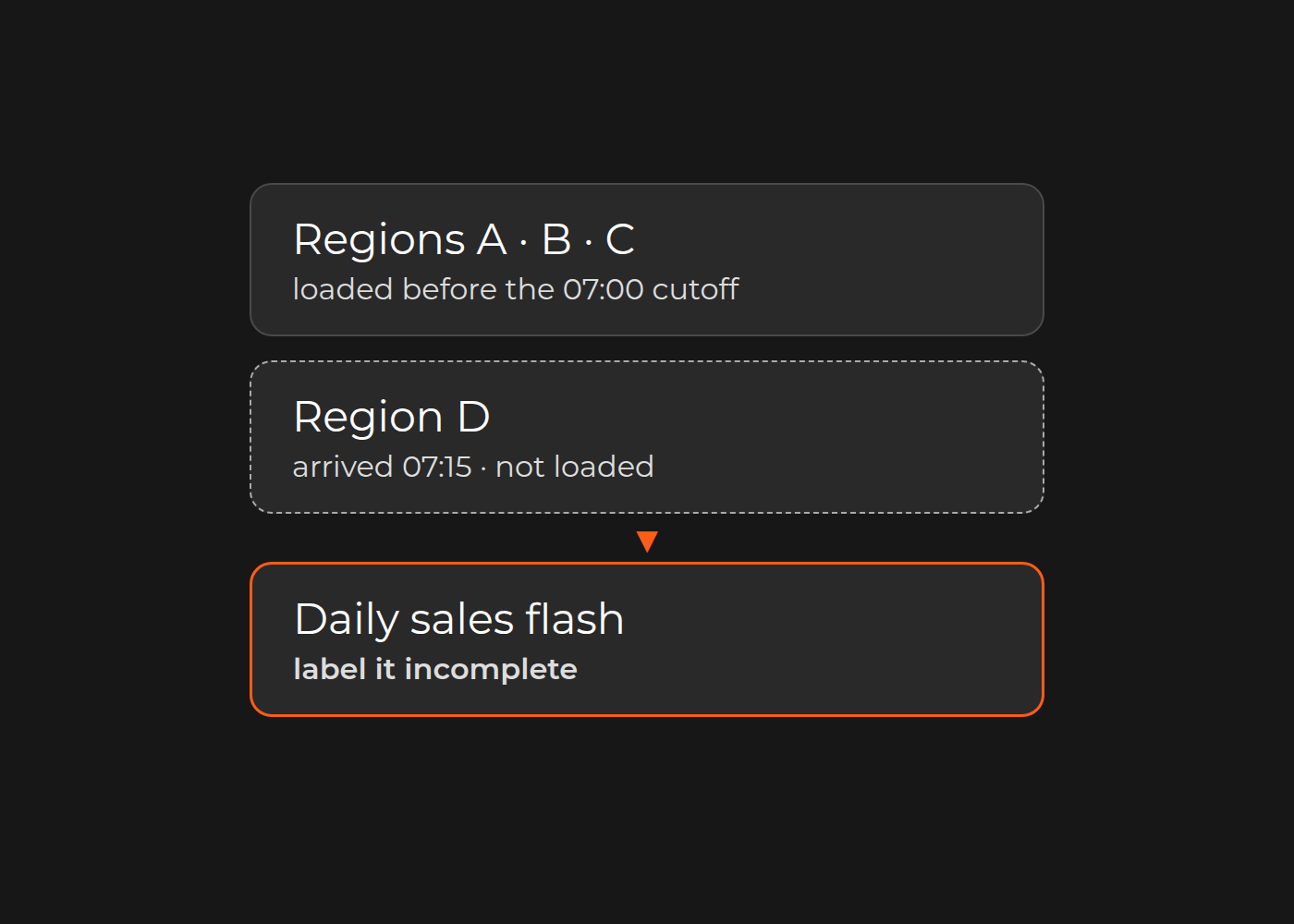
Consider a fictional daily sales flash. Four regional files are expected, but region D arrives at 07:15, after the agreed 07:00 cutoff. Regions A–C were included in the completed load; D was not. The dashboard opens, and the total looks plausible. A replacement operator could distribute a three-region total as a group-wide view.
Establish the expected sources, cutoff, completeness checks, control totals, and how an incomplete report is labeled for users. Name the upstream owner and the business owner who can approve an exception. The corrective action is not automatically to rerun a job: the authorized operator first establishes the actual state and follows the approved procedure.
“It is documented, so someone else can run it”
A runbook may omit the exception that the departing specialist handles from memory. An old screenshot or a list of transaction names does not establish that the procedure still works.
Ask a second authorized person to follow the agreed checks in a suitable environment. Can that person identify the inputs, explain the result, recognize a stopping condition, and reach the right owner without undocumented help? A knowledge gap is unfinished handover work, not a prediction that the report will fail.
“The most-used report is the critical one”
A monthly close pack may have a narrower recovery window than a daily dashboard with an accepted fallback. An obscure workbook may carry the final adjustment used by finance.
Ask each business report owner which decision would be delayed or made using unreliable numbers, when that decision occurs, how old the data may be, and whether an approved alternative exists. Frequency of use alone does not set priority.
Trace the path back from the decision
Work backward from each critical decision: report or workbook → calculation/transformation → loading or scheduled jobs → source data. Inventory the actual extractors, transformations, reports, master data, and external sources, using local IDs and owners. Check the landscape's version and configuration rather than assuming every report uses the same extraction path.
Add manual adjustments, calendars, approved access roles, and upstream teams where they matter. Record access roles and the request owner—not passwords or credentials.
Separate technical ownership from business meaning. A BI analyst may know how a report is populated; the business owner must confirm why a cost is excluded or which period is authoritative. Both are needed to verify continuity.
Which BW reports depend on one person?
Build one inventory with an evidence state for each report. Continuing the fictional example:
| Report / decision | Evidence state | Handover action |
|---|---|---|
| Daily sales flash / trading review | Dependent: late-file rule relies on the departing expert | Record completeness rule, exception authority, and upstream contact |
| Quarterly stock valuation / finance sign-off | Documented, untested: backup has not followed the procedure | Demonstrate checks before the reporting window |
| Weekly sales trend / planning | Demonstrated: backup validated procedure and business checks | Keep documentation and backup knowledge current |
| Returns summary / channel review | Unknown: owner and input path unconfirmed | Find the business owner before allocating transition effort |
These are working evidence states, not an SAP standard. Prioritize paths without demonstrated transfer by consequence, deadline, fallback, and remaining verification gap—not by status alone.
Use a critical-report inventory to capture your own paths. For each report, retain the system/environment and version, report and flow/job IDs, source owner, last validated refresh, expected controls, authorized operator, backup, escalation route, runbook location, and unresolved questions.
The Head of BI or SAP Application Manager assembles the technical inventory. Business report owners decide criticality and definitions. The CIO or authorized IT sponsor agrees the transition boundary and resources. Record exclusions too: reports that can be retired or are already adequately covered by an existing application management service do not need duplicate work. A routine ticket or one field change does not necessarily require a transition project.
Capture what the runbook misses
Ask the departing specialist to explain recent exceptions: what looked normal but was not, which upstream team supplied missing context, and how the business knew the report was trustworthy again. Keep the approved incident records and explanations in a shared location.
A usable runbook connects symptoms to evidence, permitted actions, validation, escalation, and a clear stopping point. Test those connections through the alternate operator's walkthrough. Do not manufacture an incident in production or expand access informally.
Coverage is the next decision
A replacement hire, backup expert, existing support partner, or bounded managed scope may each be appropriate. None resolves knowledge concentration unless ownership and verification transfer with the work. External coverage does not automatically include every SAP component or all hours.
There is a relevant public example. Dinarys' iSi Group SAP BW/BI case describes support following the departure of an internal BW/BI expert: daily monitoring, incident handling, worklogs, post-incident explanations, and a developing knowledge base. That is evidence of a reporting-support component, not a universal staffing ratio or proof that your reports are already covered. The later S/4HANA work in the same case was an assessment and roadmap, not a completed migration.
Use your critical-report inventory, incident patterns, reporting calendar, and named validators to compare an in-house hire, backup expert, and managed scope against the same perimeter.
Discuss the handover boundary
To discuss BW reporting continuity with Dinarys, bring a sanitized inventory, the departure and reporting dates, SAP/BW versions, recent incident summaries, existing support boundaries, and the names or roles of business validators. Leave credentials and confidential report values out. These inputs help establish what needs a transition, what existing support already owns, and what a prospective backup must demonstrate.


Let professionals meet your challenge
Our certified specialists will find the most optimal solution for your business.