Content
E-Commerce
Nov 10, 2026
Why B2B Buyers Still Email Orders Instead of Using Your Portal
Time to read: 6 minutes

Your regular customer wants to repeat an order. They know the products, have an agreed price, and already have a portal login. Yet the purchase still arrives in an account manager's inbox.
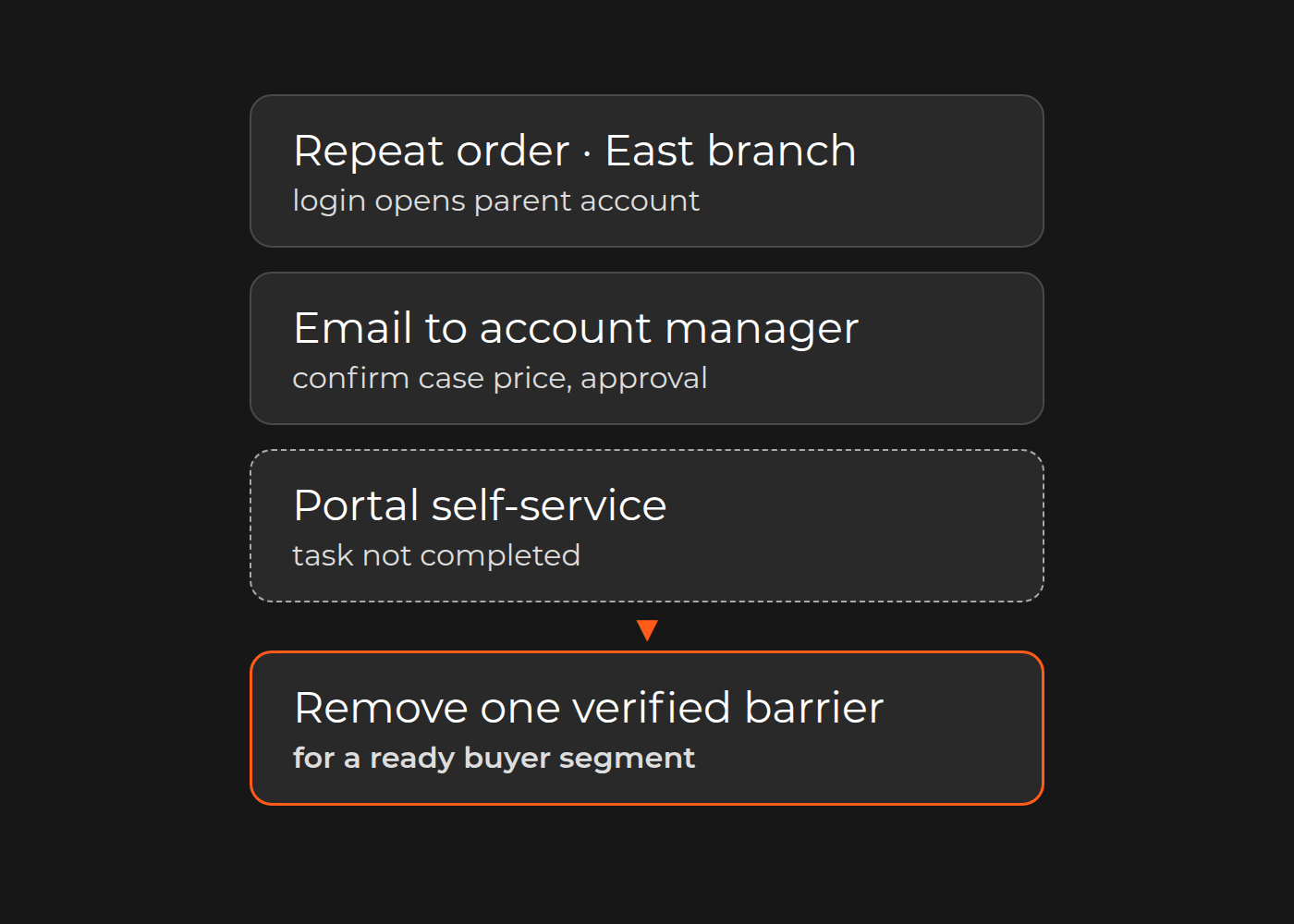
Before treating this as resistance to change, ask what the email accomplishes that the portal cannot. Does the manager confirm the contract price, select the right branch, secure purchasing approval, or find the invoice? If so, email is an exception-handling interface—not simply an outdated habit.
For commercial and ecommerce leaders at distributors and manufacturers, the first decision is which customer segment can complete a useful purchasing task without losing its existing conditions. Diagnose B2B portal adoption barriers before choosing another platform; onboarding cannot fix the wrong contract terms.
Follow the order, not the login
A login proves access, not self-service. Follow a repeat order from the buyer's company and delivery location through pricing, approval, ERP acceptance and documents. Record every point where someone leaves the portal.
Separate four kinds of intervention:
- Commercial: the displayed price or unit does not match the agreement.
- Organizational: the buyer cannot choose the correct branch or reach an authorized approver.
- Operational: availability is unclear, or the portal cannot explain whether ERP accepted the order.
- Usability: an ordinary repeat purchase requires re-entering a long list of product codes.
These call for different remedies. Training cannot resolve a mismatched customer identifier. A new checkout cannot decide who may approve a purchase.
Read an emailed order for the task it delegates
This fictional email is an editorial example, not a client message. It combines five possible barriers so you can see what to investigate; a real order may involve only one.
- Please place our repeat order for the East branch; my login only opens the parent account.
- The catalog shows individual items, but our agreement is per case. Can you confirm the case price?
- I sent a screenshot to our approver because I cannot see the approval status.
- The submission timed out. Please check whether it was received before entering it again.
- Please also send the East branch invoice from our previous order.
1. Company and branch
The manager is selecting the buying entity the portal should represent. Ask the customer-master owner to check company/location mapping and the ERP customer ID. Parent-account access alone does not establish access to every branch.
2. Contract price and unit
The manager is translating the commercial agreement into an orderable line. Have commercial and ERP owners reconcile SKU, unit, currency and agreement validity. A single-item price and a case price are not comparable until the pack definition is known.
3. Approval
The manager is helping the buyer navigate purchasing authority. The customer's purchasing owner must supply approval and delegation rules, and explain what status the buyer should see. Do not infer authority from whoever approved a previous email.
4. Submission acknowledgment
The manager is establishing whether the purchase already exists. The integration owner should trace the original attempt to its portal receipt and ERP order reference before anyone re-enters it.
5. Documents
The manager is acting as a document-retrieval service. Ask finance and the document owner which source holds the invoice and which company/location may access it. A document view is useful only if it returns the right record under the right permissions.
Tally the requests in your own emailed orders
Take a recent, authorized sample from one customer segment. For each order, record the buyer role and branch, the first task delegated to the manager, the missing price/approval/document or status, the intervention and the source owner. Replace “the portal is confusing” with an observable event: “the case unit was missing, so the buyer asked the manager to confirm the total.” Keep “other” and “unclear” visible. Count the primary barrier once per order, with later interventions separate.
Then check frequent barriers against the agreement, account mapping or submission record. Ask a buyer to attempt the same task in the portal: email may reflect a preference or onboarding gap even when the capability exists. Prioritize a verified, frequent barrier that the selected segment is ready to test. Do not put private customer documents in a workshop pack without permission.
This differs from processing email and PDF orders at the sales desk. That work improves incoming-order handling; this diagnosis explains why buyers leave an existing portal. Both may matter, but neither automatically solves the other.
Where integration evidence helps
The SanMar case describes Dinarys connecting Magento B2B/B2C sites with the internal ERP through a custom API connector that translated legacy data formats. Dinarys' development and business-analysis teams also documented the B2B site's functionality and operations. This is a concrete integration and knowledge-transfer example when a portal depends on back-office data. It does not establish the approval, credit or company-permission rules in the fictional email; those need their own fit-gap and tests.
Keep the account manager—but change the fallback
Self-service need not remove the commercial relationship. The manager can handle negotiation, substitutions and exceptions while the portal handles agreed repeat purchases.
Make the fallback explicit. If pricing cannot be confirmed, show that confirmation is pending and provide a reference the manager can use. If portal receipt exists but ERP acknowledgment is missing, show “received, not yet confirmed” with that reference; do not ask the buyer to submit again. If even receipt is unknown, say so and route the original attempt for investigation.
Finance retains authority over credit policy, customer purchasing owners define approval authority, and IT/security validate access. These are not decisions to infer from email history. A portal receipt is not automatically ERP acceptance, a stock reservation or a delivery commitment.
Choose the first segment by task readiness
Choose willing buyers whose company records, units, agreements and approvers are identifiable. Test one coherent task, such as repeating an agreed list for one branch. A fit-gap comparison of B2B self-service options can then determine whether configuration, integration or a larger change is justified.
If a verified gap needs engineering, B2B portal development services are the relevant Dinarys route. Bring the specific failed task rather than assuming the entire portal must be replaced.
Measure completed tasks, not a migration to a new inbox
For the selected task, record attempts, correct completions, reasons for abandonment, manual interventions and duplicate entry. Define completion through the agreed downstream checkpoint—not merely a checkout click. Compare like-for-like repeat purchases; a negotiated exception is not a failed ordinary reorder.
Discuss the bounded segment with Dinarys. Bring a sanitized buyer–price–approval–document map, evidence of where buyers leave the portal, and the commercial, purchasing and ERP owners. Commercial/ecommerce should champion the task, IT should validate access and integration risk, and the authorized budget owner should approve the scope. The next decision is which verified barrier to remove for willing buyers—not how to force all orders into a new channel.


Let professionals meet your challenge
Our certified specialists will find the most optimal solution for your business.